

The everyday problems every business has.
Fixed in one joined-up system.
Whatever your industry, the same headaches slow teams down: information you can’t find, spreadsheets nobody trusts, emails nobody owns, calendars that don’t connect to the work, clients chasing you for updates, finance locked in a separate package and no clear answer to who’s on site. Here is how Workbie fixes each one.
Ask questions about your own business, in plain English.
Because everything lives in one secure place, Workbie’s private AI can answer questions about your jobs, customers, staff and money — not the internet. No digging through folders, no waiting for someone to build a report.
- Job 1044 · Smith Ltd · Sarah P. · 2 days
- Job 1046 · Brook & Co · Dave K. · 1 day
- Job 1051 · N. Hart · Unassigned
From messy spreadsheets to live reports and a proper system.
We take the trackers your team already relies on and turn them into a structured Workbie system with clean records, live dashboards and reports that build themselves.
- Duplicate clients, blank owners, broken formulas
- Five versions saved in different places
- Every job has an owner, status and value
- One version, updated live by the team
Stop running the business from a shared inbox.
Bring emails out of Outlook and into Workbie. Assign each one to a member of staff, link it to the right customer, job, task or project, and see its status at a glance — including who replied and when. Something you simply can’t do in an inbox.
Re: Revised quote for site works
↳ Job 1044Delivery date change
↳ Task: rescheduleInvoice query INV-2209
↳ Project: Accounts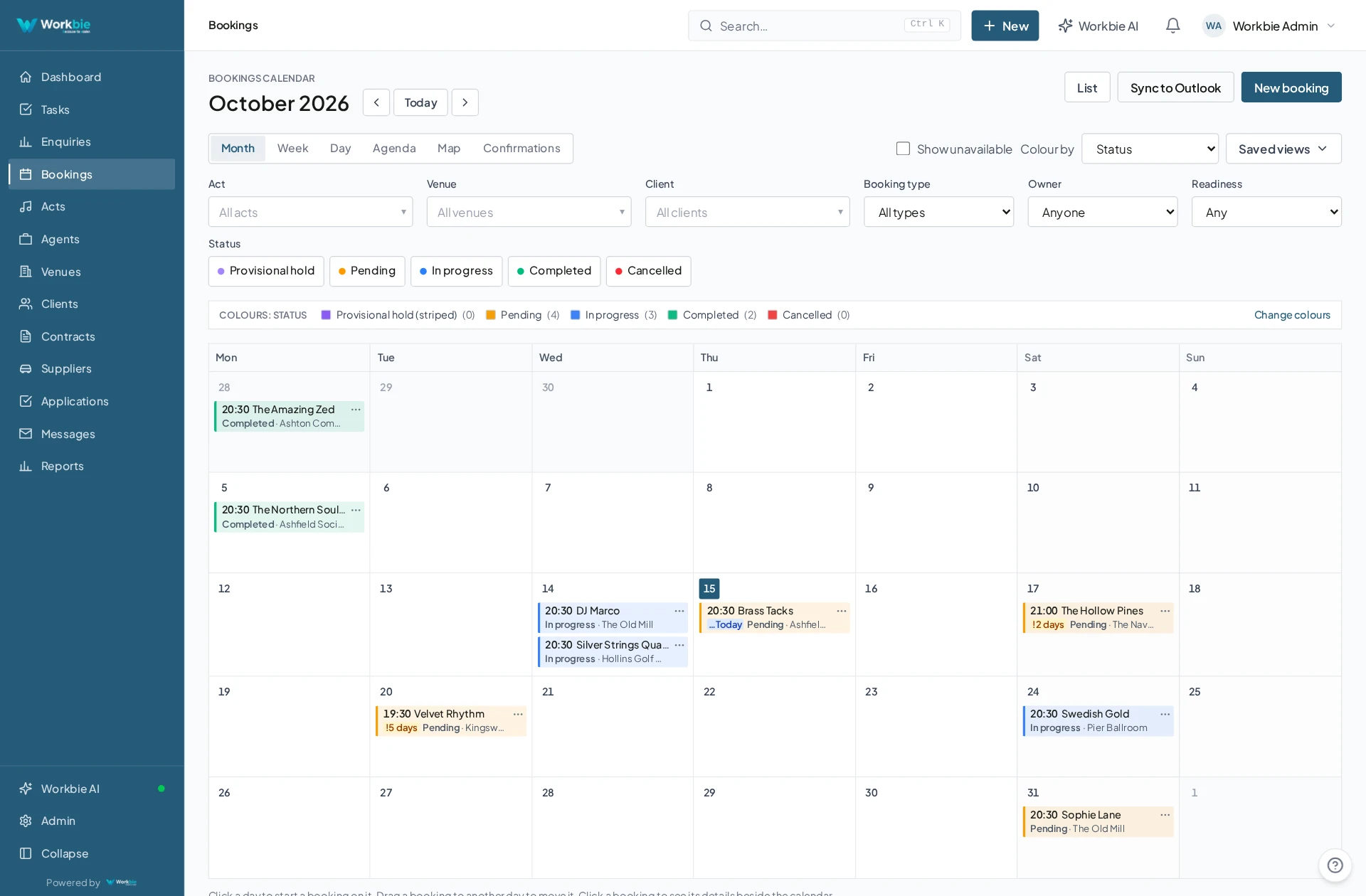
Calendars that know what the work actually is.
Move appointments out of separate Outlook calendars and into Workbie, where every booking is tied to a job, task, customer or member of staff. See team availability, drag to reschedule, and everyone stays in step.
Give your clients a login, not another phone call.
Your clients get their own login to Workbie, where they can see the information you hold about them: quotes, invoices, tasks assigned to them and the projects they’re part of. Everything you share sits in one place — and because it’s clear what data you hold and who can see it, it helps you tick the GDPR compliance boxes too.
Site works revision — v2
↳ Job 1044Payment received 12 Oct
↳ Job 10422 open · 1 due this week
Latest update posted 2 hours ago
- ISO 27001 pathway
Information security: structured records, role-based access and an audit trail.
- ISO 9001 pathway
Quality management: consistent processes and a record of every change.
- GDPR ready
Data held, who can see it and who accessed it — all in one place.
A connected system is a compliant one.
Because everything lives in one secure place — jobs, emails, documents, staff records and finance — the evidence behind certifications stops being a scramble through folders. Workbie gives you a clear pathway to ISO 27001 and ISO 9001, with the audit trail, access control and record-keeping they expect already built in.
All of your finance, in one connected system.
We plug Workbie into your accounts package — Sage, Xero, QuickBooks and others — so quotes, invoices and payments sit alongside the jobs, customers and staff they belong to. And with everything connected, you can ask Workbie AI real questions about business or customer performance.
Know who’s in, who’s out and where the work is.
Staff clock in and clock out in Workbie — from the office or on the road, with GPS data from mobile users so you know who was where, when. A live fire register shows who’s on site, and HR documents and staff information are held securely in the same system.
Times recorded in Workbie, not on paper.
Location captured as staff clock in on the road.
A live list of who’s in and out, ready when you need it.
Staff information held securely with everything else.
In the office. Out in the field.
The same connected picture.
Your team’s work does not stop at a desk. Bring the relevant records, schedules and work details with you — on site, between visits or at a customer’s premises.
- See the work and appointments that matter to you
- Find linked dates, locations and contact details
- Keep office and mobile teams working from the same system
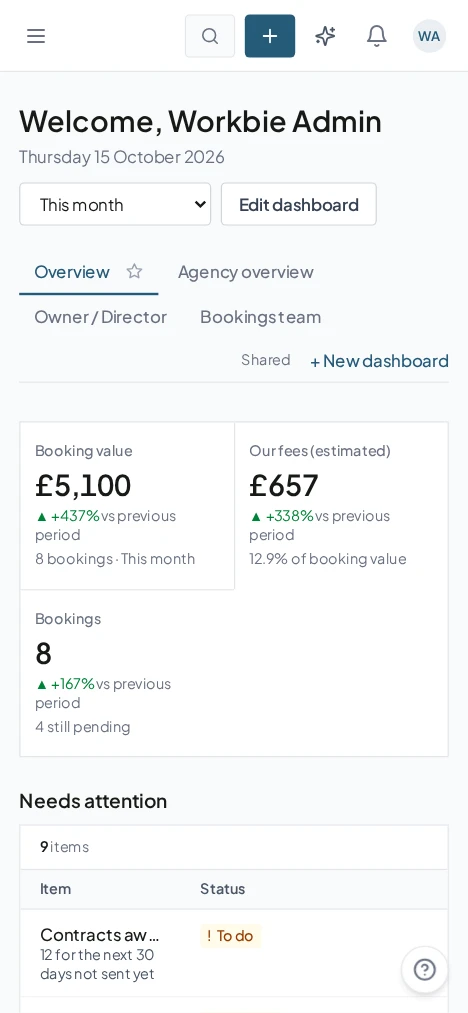
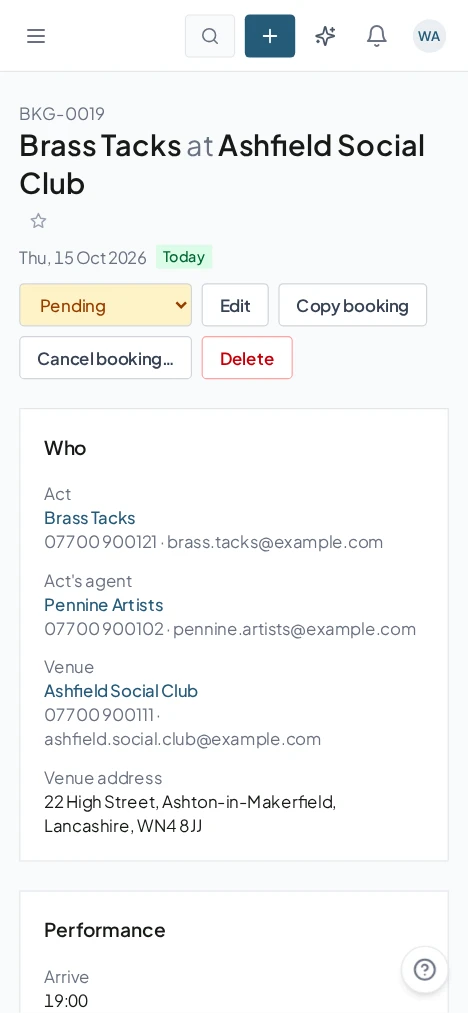
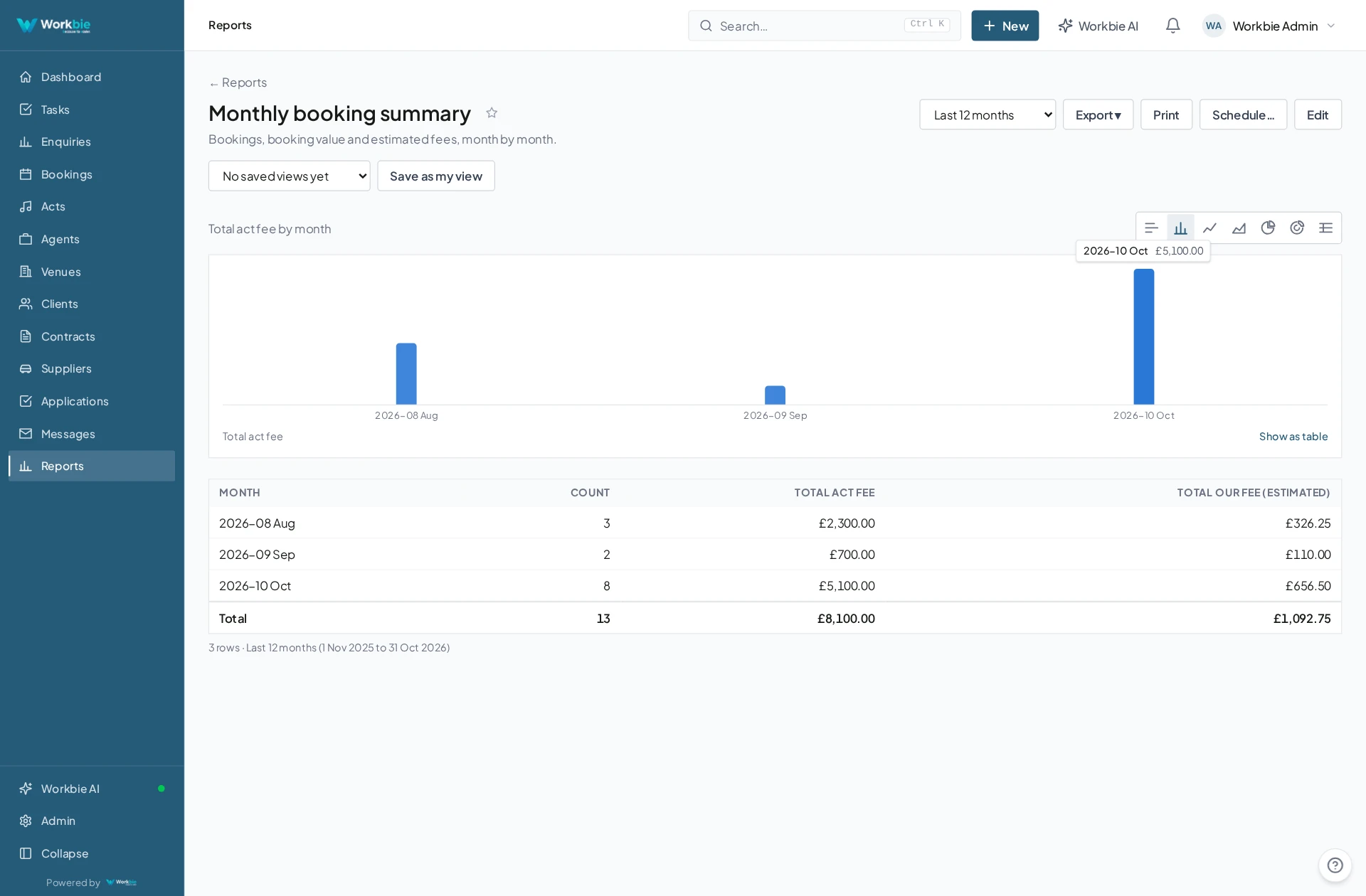
Captured from the Workbie demo system · dummy agency data, not customer results. Menus and workflows vary by configuration.
Works the same in every industry.
Construction, care, manufacturing, hospitality, professional services or public sector — every team has data to question, spreadsheets to tame, inboxes to organise, diaries to connect, clients to keep informed, finance to join up and people to keep track of. We start by fixing the one that hurts most.
Let’s untangle your workflow.
Tell us what’s slowing you down. We’ll help you find the right starting point.