
1. The core platform
Your central business system: customers, jobs, people, documents, quotes and reporting, with team accounts, phone and tablet access, permissions and a full audit trail.
How the platform works
Whatever your industry, the same headaches slow teams down: information you can’t find, spreadsheets nobody trusts, emails nobody owns, calendars that don’t connect to the work, clients chasing you for updates, finance locked in a separate package and no clear answer to who’s on site. Here is how Workbie fixes each one.
Workbie is a Business Intelligence Engine: because every job, customer, document and invoice lives in one connected system, the platform can show you what’s happening, what needs attention and what to do next.
Not custom software from scratch.
Not off-the-shelf software either.
Workbie gives you a proven business platform as the foundation. We configure the workflows, screens, terminology, permissions, automation and AI around the way your organisation needs to operate.
Most suppliers sell you one slice — customer records, stock, payroll or jobs — then leave you stitching them together. Workbie brings all of it into a single platform. Because no two businesses are the same.
Every part included, nothing you don’t need, tailored to how you work.
See Workbie in your businessBecause everything lives in one secure place, Workbie’s private AI can answer questions about your jobs, customers, staff and money — not the internet. No digging through folders, no waiting for someone to build a report.
We take the trackers your team already relies on and turn them into a structured Workbie system with clean records, live dashboards and reports that build themselves.
Emails get lost, forgotten or buried. Nobody else in the team knows who has dealt with one, who replied or when. Colour codes and folders try to help, but they’re disjointed and only make sense to one person.
Workbie connects to your Outlook. Workbie AI reads each email, sorts it — quote, price query, support or task — and puts it in the system for you. Attach any email to a task, project, quote or invoice and it’s recorded under the customer, with its status, for the whole team to see.
No more lost emails or forgotten replies. No more relying on out-of-office: when someone is on holiday, the team can see exactly where every email is up to and pick it up.
Fetched from connected mailboxes — process one by hand, or set an automatic rule so a mailbox always feeds the same place.
Re: Revised quote for site works
↳ Job 1044Delivery date change
↳ Task: rescheduleInvoice query INV-2209
↳ Project: Accounts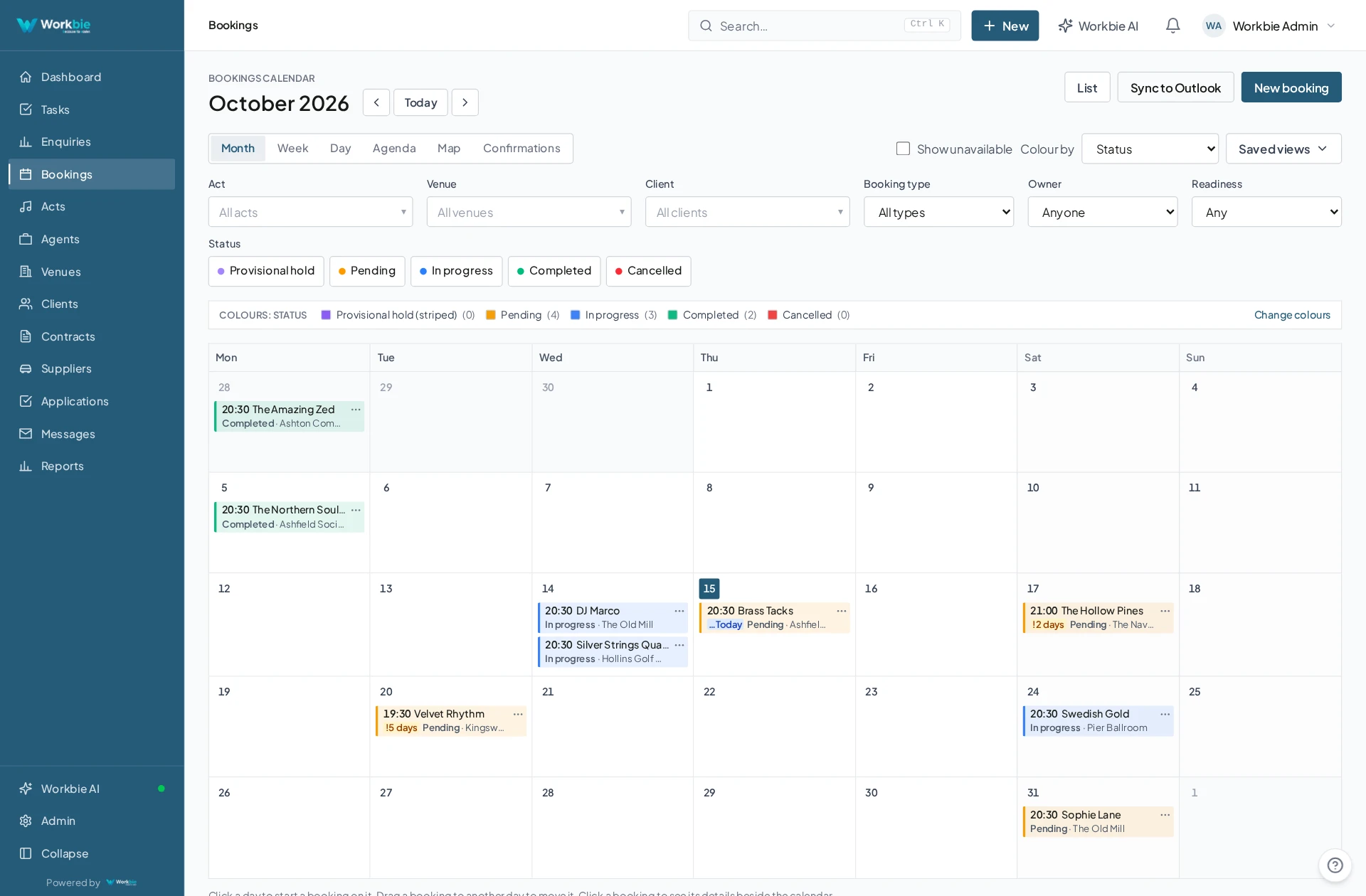
Move appointments out of separate Outlook calendars and into Workbie, where every booking is tied to a job, task, customer or member of staff. See team availability, drag to reschedule, and everyone stays in step.
Your clients get their own login to Workbie, where they can see the information you hold about them: quotes, invoices, tasks assigned to them and the projects they’re part of. Everything you share sits in one place — and because it’s clear what data you hold and who can see it, it helps you tick the GDPR compliance boxes too.
Site works revision — v2
↳ Job 1044Payment received 12 Oct
↳ Job 10422 open · 1 due this week
Latest update posted 2 hours ago
Information security: structured records, role-based access and an audit trail.
Quality management: consistent processes and a record of every change.
Data held, who can see it and who accessed it — all in one place.
Because everything lives in one secure place — jobs, emails, documents, staff records and finance — the evidence behind certifications stops being a scramble through folders. Workbie gives you a clear pathway to ISO 27001 and ISO 9001, with the audit trail, access control and record-keeping they expect already built in.
Your documents. Your storage. Managed by Workbie. Files can stay in your existing Microsoft SharePoint or approved storage — Workbie manages the search, approvals, workflows and audit history around them. See how document management works
We plug Workbie into your accounts package — Sage, Xero, QuickBooks and others — so quotes, invoices and payments sit alongside the jobs, customers and staff they belong to. And with everything connected, you can ask Workbie AI real questions about business or customer performance.
Staff clock in and clock out in Workbie — from the office or on the road, with GPS data from mobile users so you know who was where, when. A live fire register shows who’s on site, and HR documents and staff information are held securely in the same system.
Times recorded in Workbie, not on paper.
Location captured as staff clock in on the road.
A live list of who’s in and out, ready when you need it.
Staff information held securely with everything else.
New: clients with Workbie can now embed an AI webchat on their own website. Point the agent at the folder or files it’s allowed to answer from — FAQs, pricing, orders, opening hours, anything you choose — and it gathers that information and answers your visitors’ questions instantly, with real-time data from your Workbie system. You decide exactly what it can and can’t say, and nothing else leaves your side.
Your team’s work does not stop at a desk. Bring the relevant records, schedules and work details with you — on site, between visits or at a customer’s premises.
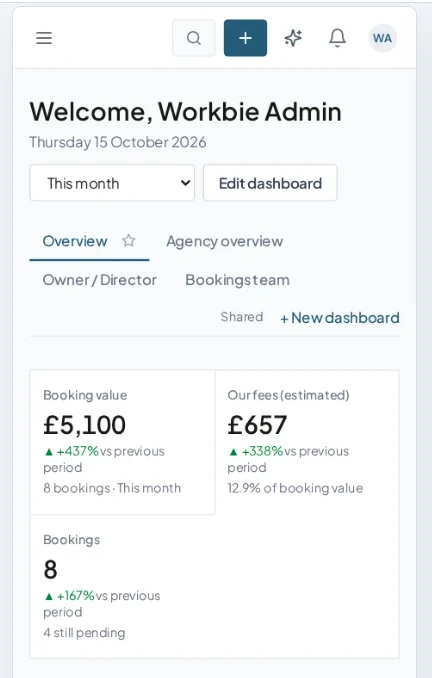
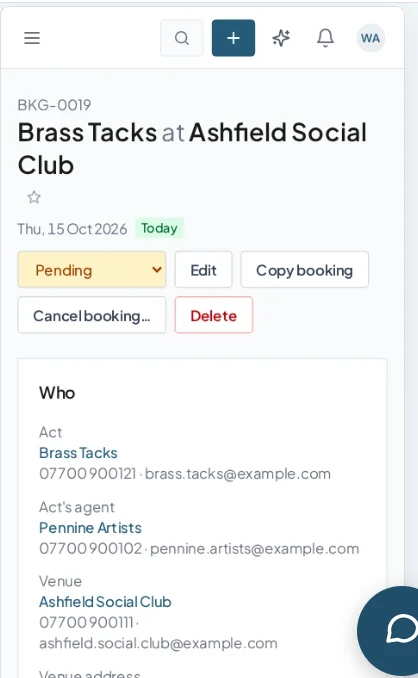
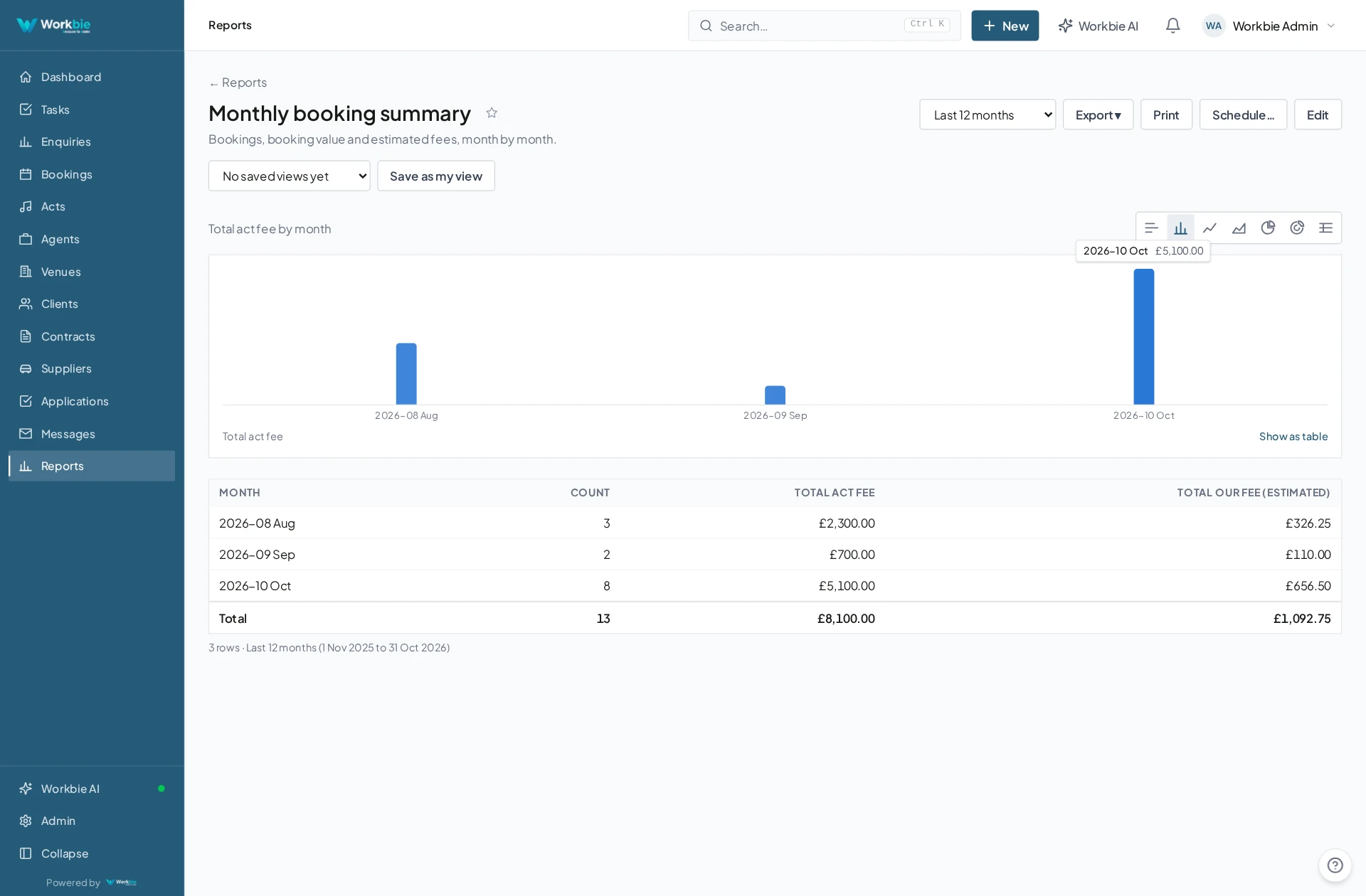
Captured from the Workbie demo system · dummy agency data, not customer results. Menus and workflows vary by configuration.
Construction, care, manufacturing, hospitality, professional services or public sector — every team has data to question, spreadsheets to tame, inboxes to organise, diaries to connect, clients to keep informed, finance to join up and people to keep track of. We start by fixing the one that hurts most.
One system with modules for customers, jobs, people, documents, quotes, reporting and AI — shaped around your business, not the other way round.
Your central business system: customers, jobs, people, documents, quotes and reporting, with team accounts, phone and tablet access, permissions and a full audit trail.
How the platform worksYour terminology, job sheets, stages, rules and approvals, with the data from your existing spreadsheets and systems brought in.
How setup worksWorkbie AI Team for controlled AI agents, and Workbie Development when you need new workflows, connections or something built just for you.
Explore Workbie DevelopmentFor prices on each layer, see our pricing or meet the AI Team.
Explore customers, sales, operations, finance, automation and AI in detail — with the capabilities and business benefits of every area in one place.

Martindales' glass team was re-keying orders from insurance companies and trade customers, then coordinating production and updates through emails and printouts. Workbie connected the process, from incoming order to manufacturing progress.
Read Martindales's storyPhoto: Martindales — window and door fabrication. The story describes the work delivered; your scope and outcomes would be agreed separately.
Workbie doesn’t arrive wearing someone else’s name. We apply your logo and your colour theme across the system — the side menu, buttons and highlights all take your branding — so your staff and clients see a system that feels like your own, not another off-the-shelf tool.
Illustrative examples — the side menu, buttons and accents take your colour theme. Your logo, colours and wording are agreed with you during the build and applied across the whole system.
Get a £995 Business Workflow Audit, free. We’ll map how work really flows through your business, identify where time and money are being lost, and show you what we’d fix first.
Yours to keep. No obligation to use Workbie.
Workbie — Business Intelligence Engine. Powered by AI.