Your emails aren't linked to your booking system
Client emails sit in an inbox nobody owns. Workbie connects your Outlook, sorts each email with AI and links it to the right client and booking.
See how email works

Bring appointment planning, client follow-ups and team availability together.
Get My Free Workflow AuditWorkbie — Business Intelligence Engine. Powered by AI.
When information lives in different places, your team spends more time finding answers than moving work forward.
An illustrative salon appointments workspace connects records, documents and team tasks. Bring appointment planning, client follow-ups and team availability together. This is a possible configuration, not a claim of a delivered implementation.
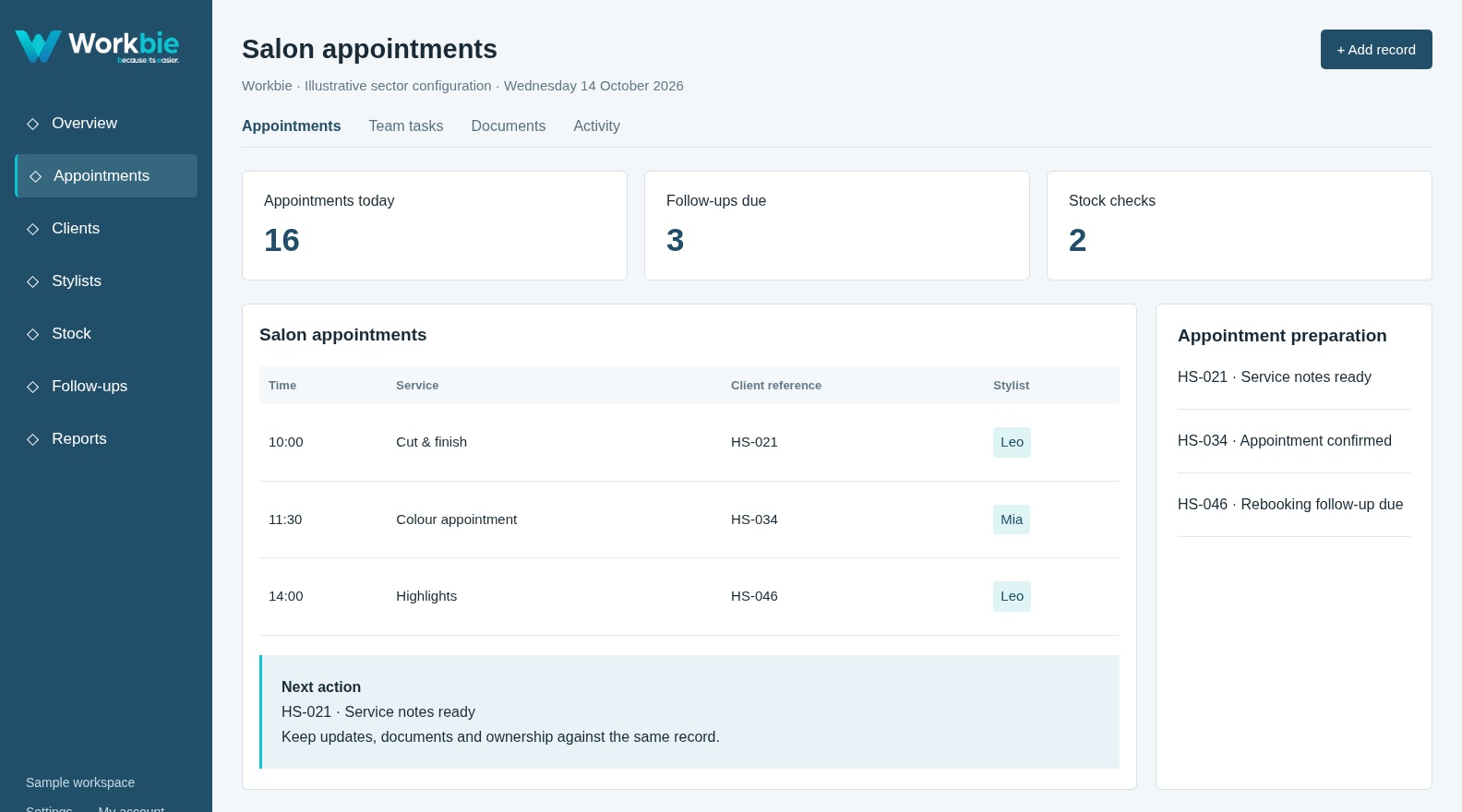
Illustrative hair & salon configuration based on Workbie Version 2. Sector-specific menus and fictional sample records show a possible workflow, not a delivered implementation or customer result. Final screens and modules are tailored to your project.
Draft an appointment update from approved records.
Summarise outstanding tasks for your team to review.
Prepare routine follow-ups for human approval.
Human review, access controls and data requirements are agreed before implementation.We review your current software and the available connection options during the Business Workflow Audit. Any integration is scoped and confirmed before development.
Integration availability is subject to technical access and provider support. No unverified integration is promised.Illustrative mobile configuration with fictional sample records. Access, screens and workflows are agreed for your team and project.
Discuss your team's workflow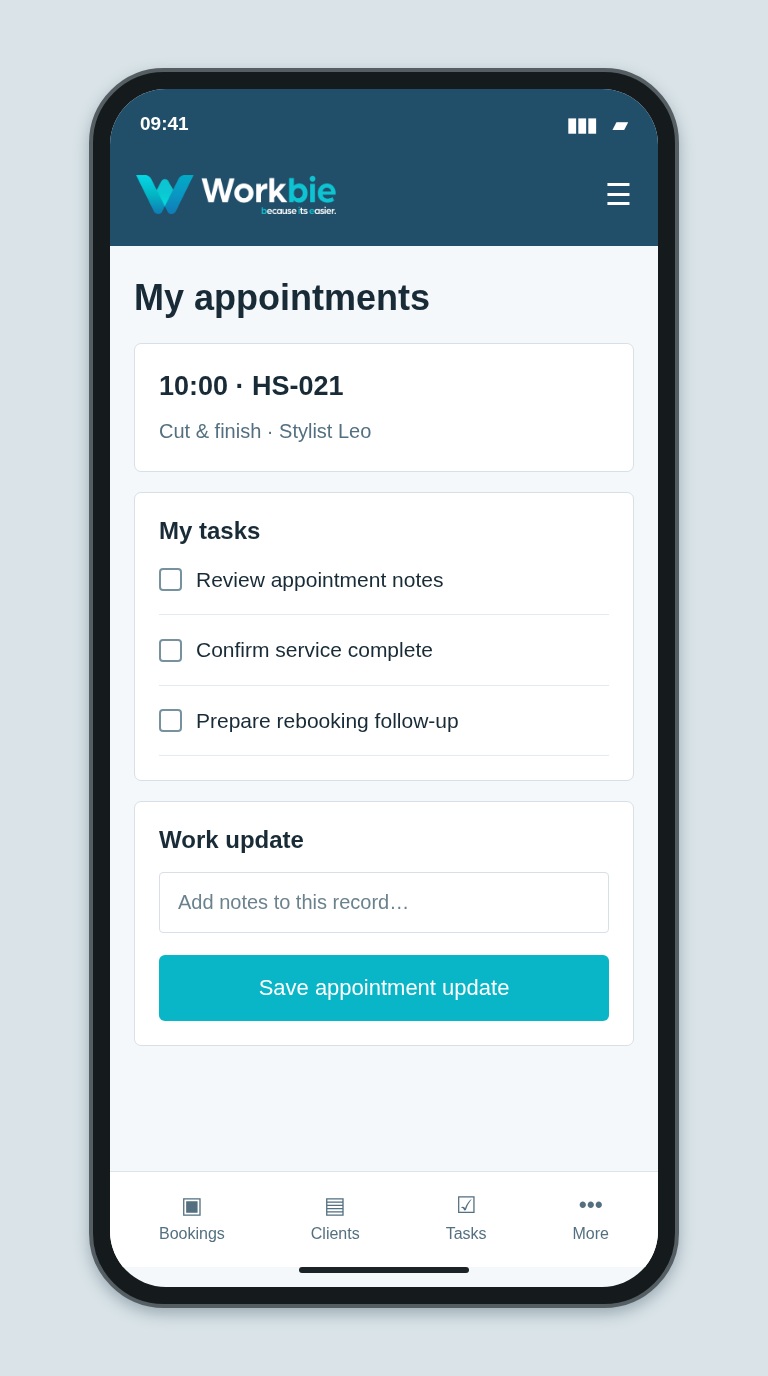
Your AI assistant knows your diary, your clients and your team. Type or speak a request and it's done automatically — no clicking through screens between clients.
Example conversations with fictional clients, for illustration.
Workbie, can you book Sandra in next Tuesday at 4 for a cut and blow-dry?
Workbie AIDone — Sandra is booked with Emma on Tuesday at 4:00pm. I've sent her a confirmation and a reminder for Monday.
What treatment did Barbara have last time?
Workbie AIBarbara had a full head of highlights and a toner with Jess on 12 September. Patch test is valid until March.
Who's free on Saturday morning for a colour?
Workbie AIJess has 9:30 and 11:00 free. Emma is on holiday that day.
Which clients haven't rebooked in 8 weeks?
Workbie AI14 regulars. Shall I send them a friendly rebooking message on WhatsApp?
A booking app handles the diary. Everything around it — emails, calls, messages, staff and accounts — is still left to you. Workbie links the whole salon up.
Client emails sit in an inbox nobody owns. Workbie connects your Outlook, sorts each email with AI and links it to the right client and booking.
See how email worksMissed calls are missed bookings. Our AI receptionist answers, checks the diary and books the appointment — even when you're mid-colour.
Messages from WhatsApp and Facebook arrive automatically in one place, against the right client — no more scrolling three apps.
Holidays, rotas, staff records and HR live in the same system as the diary, so cover is sorted before the chair goes empty.
Takings, invoices and payments flow into Xero, Sage or QuickBooks — no copying figures across at month end.
Visitors ask about prices, treatments and availability and get instant answers from the information you choose to share — day or night.
Clients rebook, fill in consultation forms and see their past treatments without phoning the salon.
Staff clock in on their phone, hours feed straight into pay, and you always know who's in the building.
Got an idea or something your salon needs? Tell us and we'll build it in at no extra cost.
Compare Workbie with three widely used salon platforms: Fresha, Treatwell and Phorest. The difference is how much of your business joins up.
Swipe sideways to compare all four
| Your salon needs | WorkbieBuilt around your salon | FreshaPublished features | TreatwellPublished features | PhorestPublished features |
|---|---|---|---|---|
| The everyday salon essentials | ||||
| POS & checkout | IncludedIncluded | Included1 | Included2 | Included3 |
| Online bookings | IncludedIncluded | Included4 | Included5 | Included6 |
| Appointment scheduling | IncludedIncluded | Included7 | Included8 | Included9 |
| Client records & treatment notes | IncludedIncluded | Included10 | Included11 | Included12 |
| Where the difference shows up | ||||
| Your Outlook email, linked upEmails land against the client, the booking and the job — with owners, replies and read state visible to the team. | IncludedOutlook linked to clients, bookings and tasks | Not included13 | Not included14 | Not included15 |
| Connected accountsXero, Sage, QuickBooks connections. | IncludedXero · Sage · QuickBooks | Included16 | Not included17 | Included18 |
| Ask AI: book it and recall treatments“Book Sandra in next Tuesday at 4.” “What did Barbara have last time?” — one assistant that acts on both. | IncludedOne assistant across bookings, email, WhatsApp and history | Included19 | Included20 | Included21 |
| Client login, past treatments and formsClients see their own treatment history, complete consultation forms and rebook without phoning you. | IncludedYour own client portal | Included22 | Included23 | Included24 |
| The whole business in one systemSalon front-of-house plus email, rotas, holidays, HR records and accounts — connected, not bolted together. | IncludedOne system for the salon and the business behind it | Not included25 | Not included26 | Not included27 |
| Your ideas built in, freeMissing something? We build it in at no extra cost. | Included£0 for requested features | Not included28 | Not included28 | Not included28 |
Checked 21 October 2026 against each provider’s official product and help pages. A cross means the capability is not offered or not documented there — it does not mean the provider can never offer it. Where a capability exists but does less than described here, it is ticked and explained in the notes. Plans, fees, regions and availability vary, and these are three widely used platforms rather than a verified UK top-three ranking. Workbie capabilities are configured for your salon; integration access, data permissions and scope are confirmed before you switch.
Client records held by salon staff are not the same as a client-facing treatment-history portal. An AI that answers the phone is not the same as an assistant that reads your email and your client’s history together. Sales reports are not the same as a live accounts connection.
Send us your current costs. We’ll match your price and move you over free.
We'll match what you pay now, move your salon across at no charge, and make sure you get everything your old system was missing.
Start with the questions your managers need answered, then agree the records, responsibilities and views that make those answers useful.
Review the appointment, assigned stylist and relevant client notes.
Open their appointment schedule and service details.
Illustrative management questions, not screenshots of a delivered dashboard or promised performance measures. Views, reporting and drill-downs depend on the records you capture, connected data and agreed configuration.
These modules are relevant starting points. We agree the exact configuration and capabilities during your Business Workflow Audit.
Manage work from start to finish with clearer workflows, job tracking, and less manual chasing.
Explore this moduleStore important files, collect information properly, and make reporting easier to pull and easier to trust.
Explore this moduleTurn business data into useful insight so you can spot problems faster and make better decisions.
Explore this moduleA few hours of repeated admin quickly add up. Explore the opportunity in your business.
Illustrative estimate, not guaranteed savings. Based on 48 working weeks; assumes all entered admin hours could be reclaimed. Excludes implementation and ongoing costs.1,440 hours across your team
Not custom software from scratch. Not a fixed off-the-shelf package either. We start with Workbie, then agree what your organisation actually needs.
Explore the platform and its feature modules. The examples above show a possible sector setup, not a promise that every screen or connection is already available unchanged.
Explore the featuresAgree workflows, screens, terminology, permissions and data setup around your people. Testing, training and launch are planned against the agreed scope.
See how we roll it outNew development, external connections and the optional AI Team are discussed separately. Feasibility, security, costs and responsibilities are confirmed before you commit; not every request will be accepted.
Explore Workbie DevelopmentGet a £995 Business Workflow Audit, free. We’ll map how work really flows through your business, identify where time and money are being lost, and show you what we’d fix first.
Yours to keep. No obligation to use Workbie.
Workbie — Business Intelligence Engine. Powered by AI.