
Documents, Forms & Reporting
Store important files, collect information properly, and make reporting easier to pull and easier to trust.
Discuss this moduleLess friction in everyday work.
Paper forms and disconnected documents mean information is entered twice and difficult to report on.
A clearer way to work.
- Documents linked to the relevant record
- Forms builder for structured information capture
- Reports using connected operational records
- E-sign and document signing through Workbie Sign
- Workbie server folders and filing against customers, tasks, tenders and other records
- Storage moves checked by size and checksum; an unverified copy is discarded while the original is preserved
- Revisions, copies, read-only locations, storage health and detailed permissions
- SharePoint site lookup by address and personal task files in the owner's OneDrive
- Supplier invoices and delivery notes matched to purchase orders, with price, quantity and supplier differences flagged
- Bank-detail change alerts require a person to confirm amended supplier payment details
- Learned document layouts reuse approved patterns without an AI call
- Word templates filled from records and saved to the correct document folder
- Encrypted, versioned record files with legal hold and logged downloads
- Expiring external file-share links, enabled only where approved
- Scanned paperwork becomes usable information
Capabilities, access and connections are scoped for your project. Integrations depend on technical access and provider support.
Built into the flow of your work.
Scanned paperwork becomes usable information
Turn scans and photographed pages into searchable text, with OCR processed on your own server rather than retyping paperwork.
- Enable Read scans per storage location; OCR also reads picture-only pages in Draw-Checks.
- Text-first extraction uses a lighter route where possible, reducing unnecessary AI processing.
- OCR processing stays on your server. Any subsequent AI analysis follows the separately agreed Workbie Central data-handling controls.
Your documents. Your storage. Managed by Workbie.
Keep control of your files without giving up connected document management.
Your business documents can stay in your organisation’s existing Microsoft SharePoint environment or other approved business storage, rather than being locked into a proprietary Workbie file store. Workbie connects them to the records and processes your team uses, bringing document management, search, workflows, approvals, audit history and AI capabilities around them.
Storage connections, permissions and AI access are agreed for your implementation, so the right people and processes can work with approved documents.
Explore your storage connectionsReporting from connected records.
Captured from the current Workbie design project with sample agency records; this overview does not demonstrate every capability in this module.
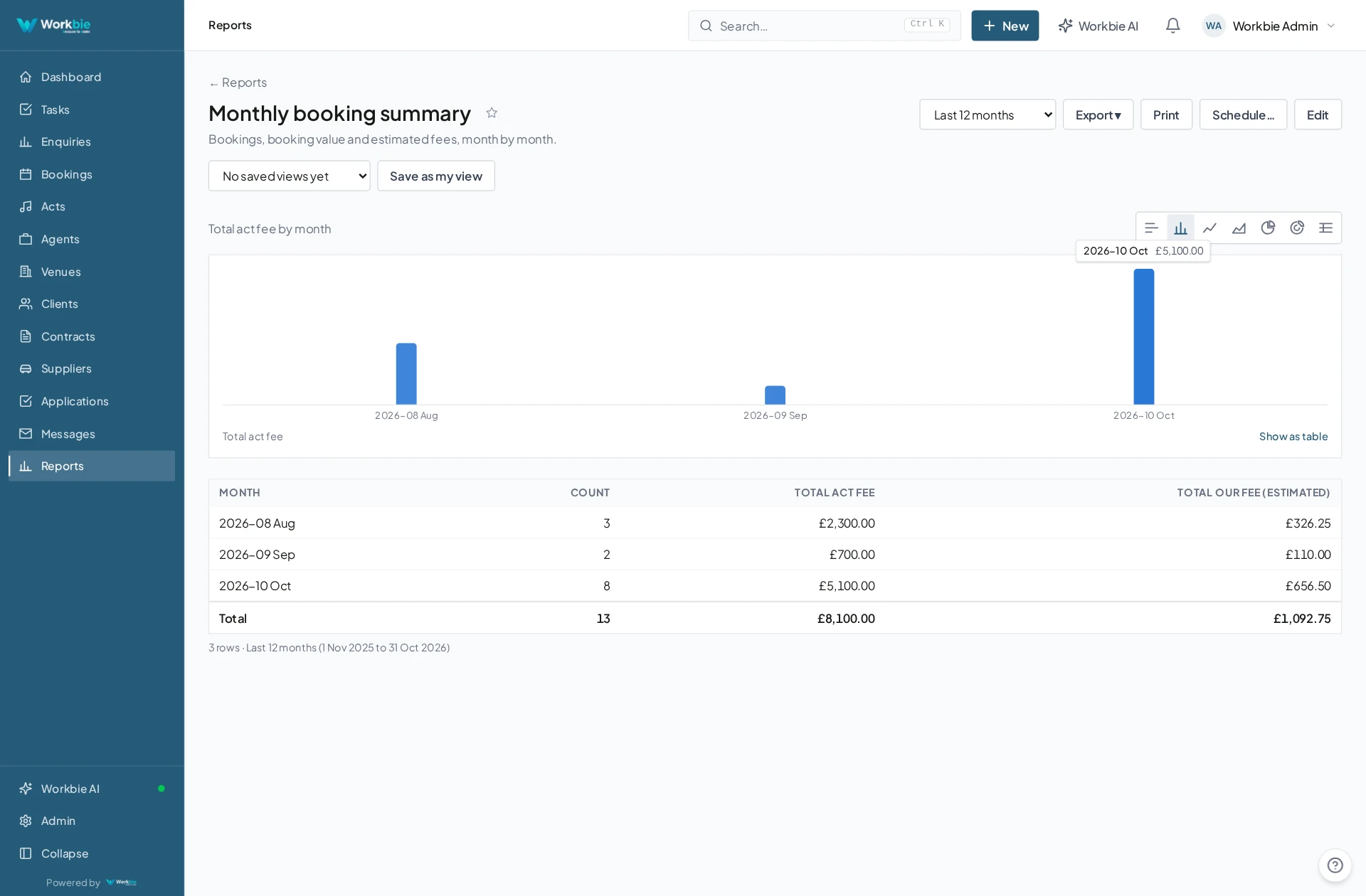
Captured from the Workbie demo system · dummy agency data, not customer results. Menus and workflows vary by configuration.
Relevant industries
See how pricing worksSee how this works for a real team.

Glass orders, connected from inbox to factory.
Martindales' glass team was re-keying orders from insurance companies and trade customers, then coordinating production and updates through emails and printouts. Workbie connected the process, from incoming order to manufacturing progress.
Read Martindales's storyPhoto: Martindales — window and door fabrication. The story describes the work delivered; your scope and outcomes would be agreed separately.
Let us find what’s slowing your business down.
Get a £995 Business Workflow Audit, free. We’ll map how work really flows through your business, identify where time and money are being lost, and show you what we’d fix first.
Yours to keep. No obligation to use Workbie.
Workbie — Business Intelligence Engine. Powered by AI.